Platform · Layering

Data Layers, Generated Automatically.

Pick a template once, and let Amfelt recommend a table type for each table, which decides how it is historized. Staging, history, and bridge layers generated for every table, with current and historical data exposed through views ready for analytics, AI agents, and data products.

Template-Driven

Choose snapshot, append, replace, or full SCD Type 2 history, or take Amfelt’s recommendation from your data profile. DDL is generated for you.

Consistently Named

One naming convention, applied uniformly: lower-case snake_case names and fixed layer suffixes, under a schema prefix you set per job.

Always Exposed

Bridge views expose current and historical data per object, ready for analytics and AI tools. No ad hoc SQL against the raw layers.

Template-Driven

Choose snapshot, append, replace, or full SCD Type 2 history, or take Amfelt’s recommendation from your data profile. DDL is generated for you.

Consistently Named

One naming convention, applied uniformly: lower-case snake_case names and fixed layer suffixes, under a schema prefix you set per job.

Always Exposed

Bridge views expose current and historical data per object, ready for analytics and AI tools. No ad hoc SQL against the raw layers.

How It Works

From Template to Production-Ready Data Layers.

Select a template, set a schema prefix, and let Amfelt generate the full layer stack: staging, history, and bridge layers.

Pick Your Template. The Rest Is Generated.

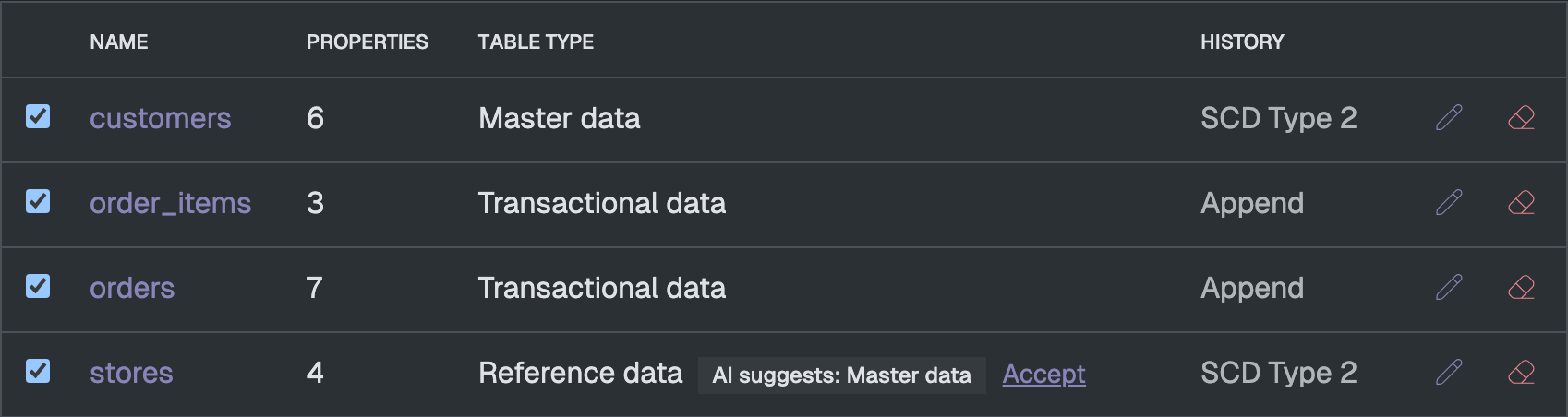
Select a historization strategy per table: snapshot, append, replace, or full SCD Type 2 history. Amfelt applies the chosen template across all selected tables, generating the complete staging and history layer DDL without a single line of manual SQL.
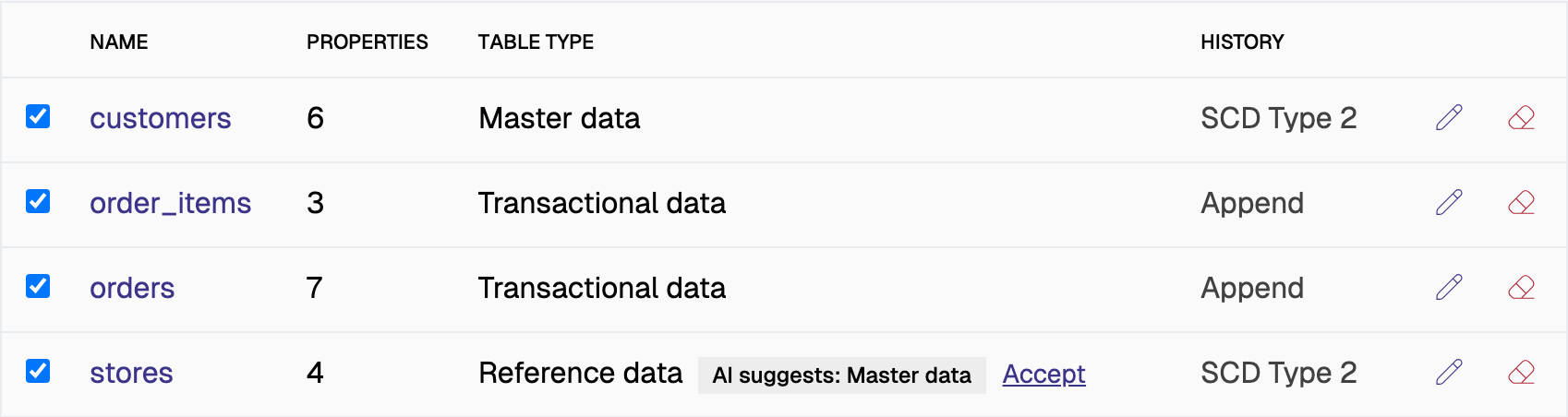
The objects table of a job's sales namespace: customers, order_items, orders and stores, each with its property count, table type and history setting. The stores row carries an AI suggests: Master data badge with an Accept link.

Consistent Naming Across Every Layer.

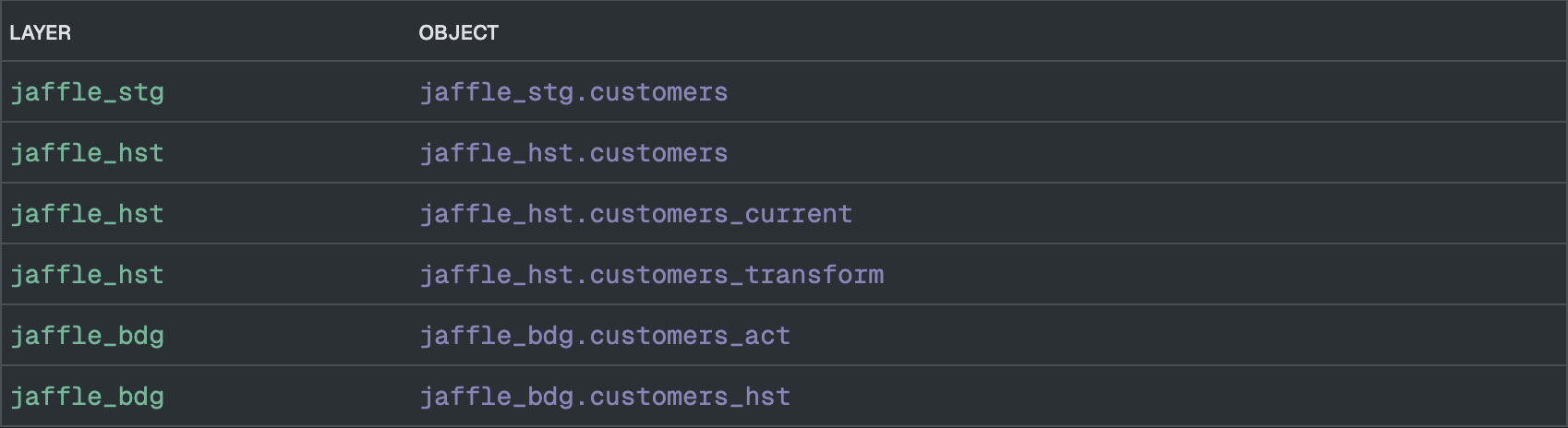
Amfelt applies one naming convention (lower-case names, fixed layer suffixes, and a schema prefix you can set per job) uniformly across the staging, history, and bridge layers, so your data platform stays consistent and auditable.
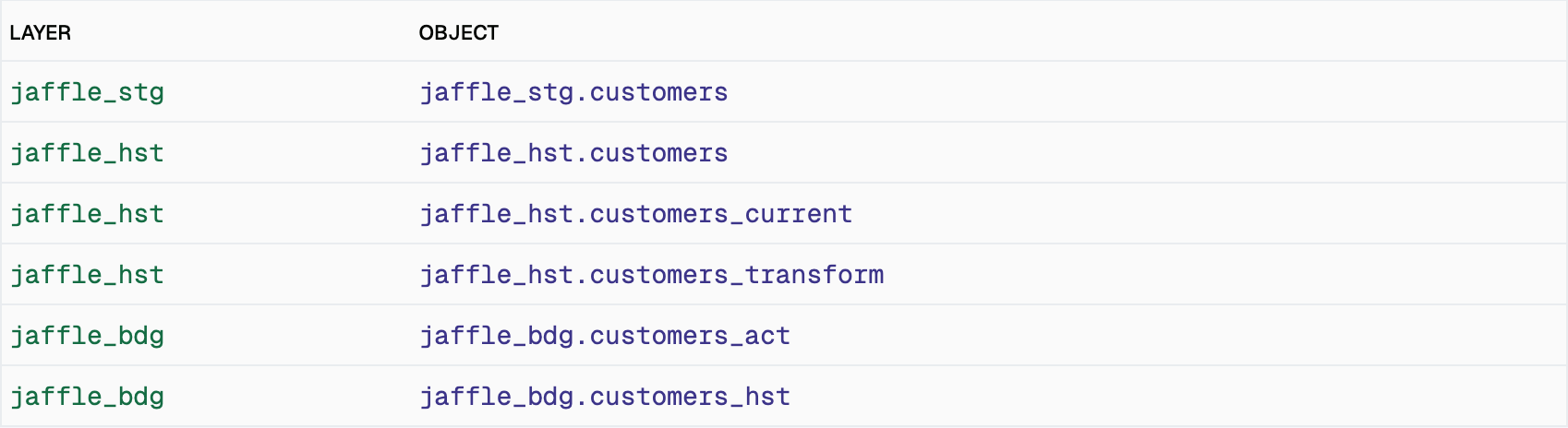
A two-column table of layers and objects for customers: jaffle_stg.customers, then jaffle_hst.customers, customers_current and customers_transform, then jaffle_bdg.customers_act and customers_hst.

Current and Historical Data, Always Exposed.

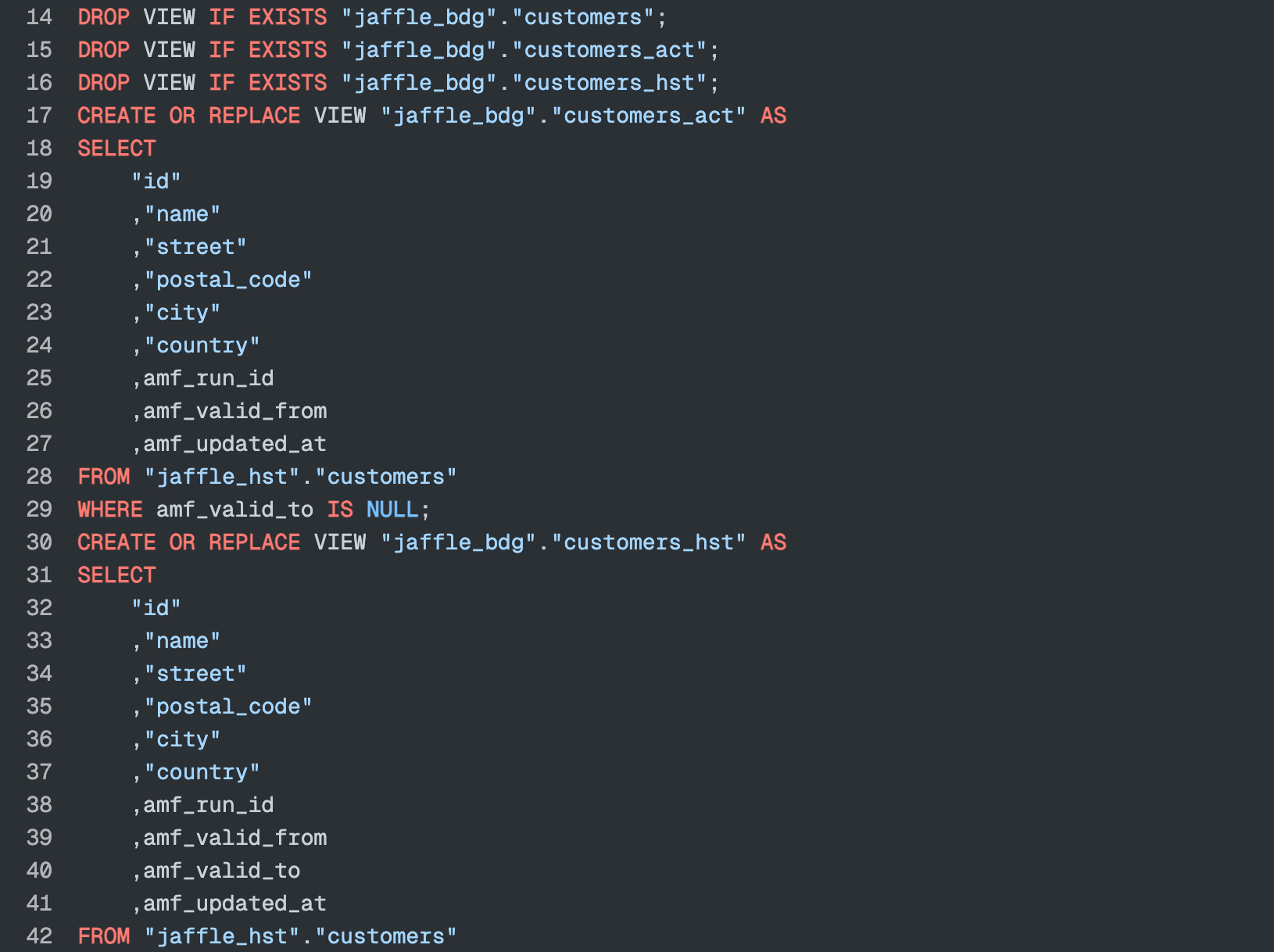
Every table gets a staging table, a history table with historization logic, and bridge layers for both current-state and full-history access. Amfelt generates and deploys the DDL. These governed layers are also the foundation for what comes next: semantic definitions emitted in open formats, on the roadmap.
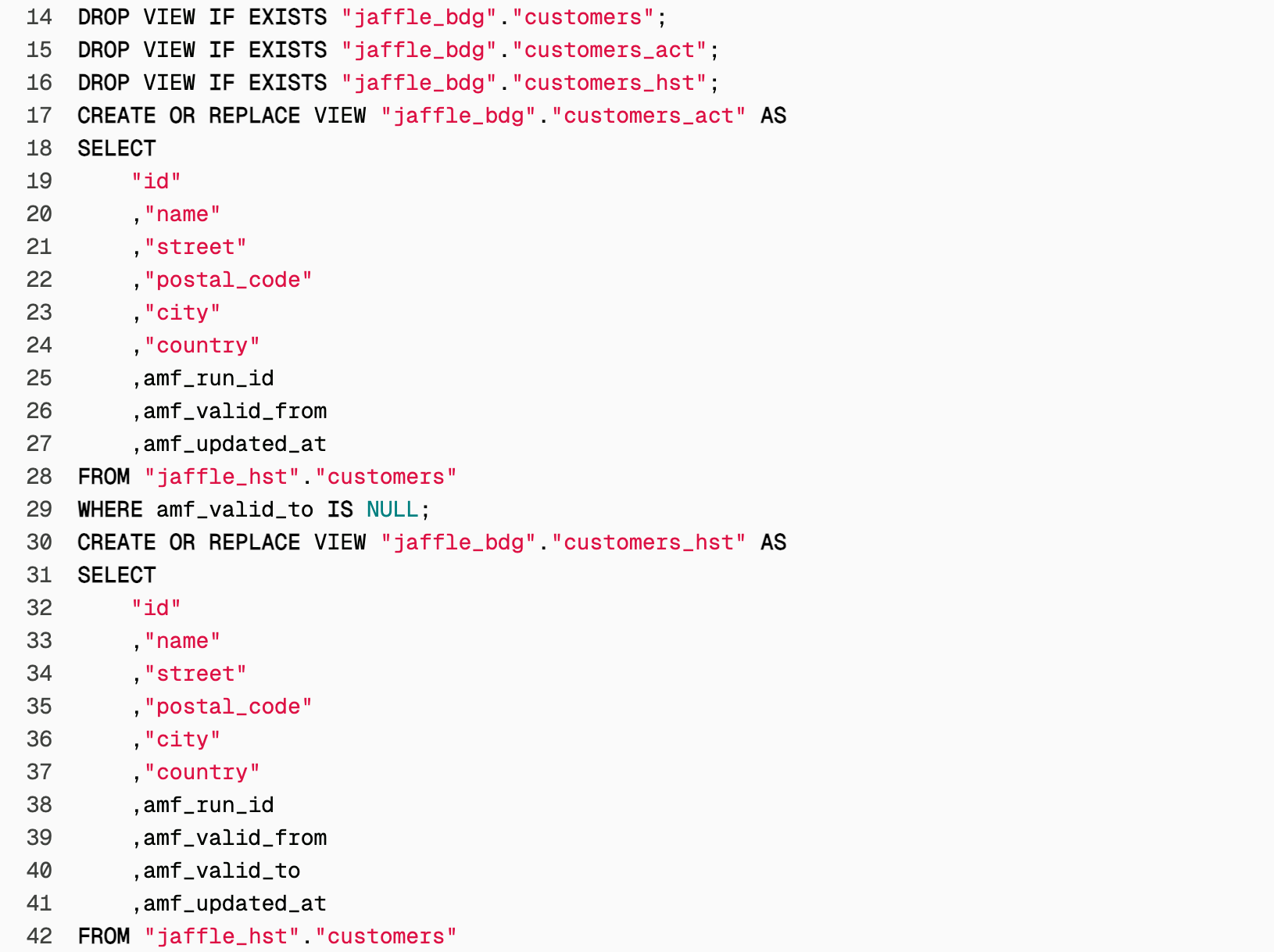
SQL for the customers bridge: a customers_act view selecting records from the history table where amf_valid_to is null, then a customers_hst view over the same table that keeps amf_valid_to.

Build a Consistent Data Platform.

Join the waitlist, or Ask Us for a Demo to see template-based data layering in action.