Docs
Resolve a Conflict
A conflict means your commit was refused because the repository moved on after your working copy was made. Someone else, or another environment, committed first. Nothing is lost. Your working copy is intact and the commit simply did not happen.
Resolve It
- Read the incoming changes shown with the conflict.
- Decide whether your edits still make sense on top of them. Sometimes they do not: the change you were about to make may already be there, in a different form.
- Commit again.
Or Take the Git Version Instead
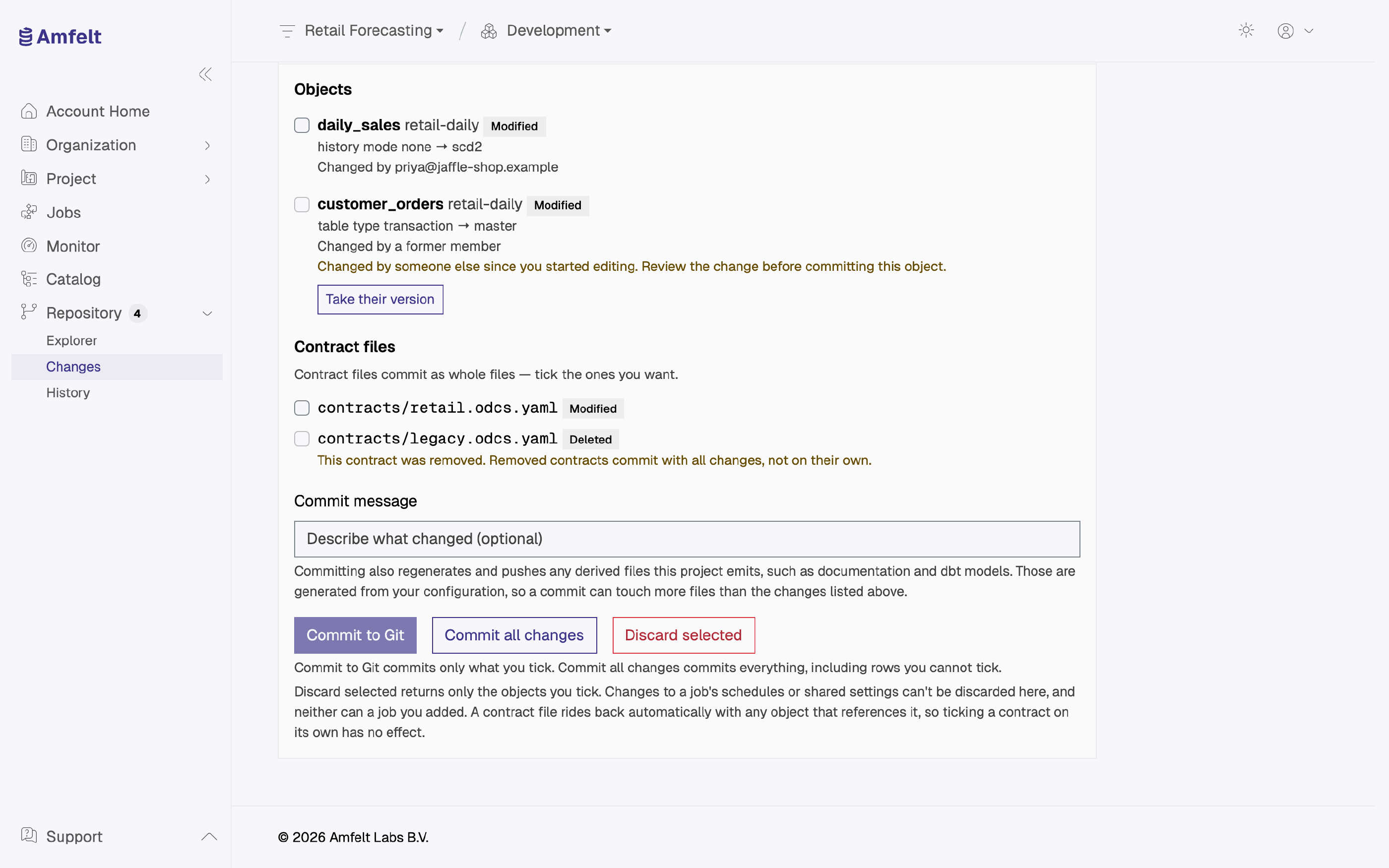
On the conflict, tick the objects you want to take from Git and choose Take their version. Your uncommitted work on them is lost. A change to a job’s schedules or shared settings, or a job someone else added, cannot be taken this way.
The Changes page shows the same remedy on each conflicted object: its checkbox is disabled, with a note that someone else changed it, and its row has its own Take their version button.
On an agent host, the equivalent is to pull with --force. Replace <project-id> with the control-plane project’s UUID and select the environment, for example development:
amfelt pull --project <project-id> --env development --forceThis replaces tracked configuration on that host with the committed version and keeps files found only there. It does not change your working copy in the app. Be sure the edits you are giving up are ones you meant to abandon. Without --force, pull refuses to overwrite unsynchronized local edits.
Avoiding Them
Commit small and commit often. A working copy that has been accumulating uncommitted edits for a week is the one most likely to collide, and the hardest to reason about when it does.
Next
Last updated on October 30, 2026