Docs
Connect a Repository
A project’s configuration (its sources, contracts, and jobs) lives in a Git repository that is created and hosted with the project, so there is nothing to connect to get started. Connecting your own repository is optional: an owner or admin can switch the project to it, and the repository created for the project is detached, not deleted. The data itself never goes to Git; what goes there is the description of how your pipelines are built.
Why Configuration Lives in Git
Configuration changes get the same treatment as application code: a history, a diff, a review, and a way back. Six months in, the repository is the answer to “why is this pipeline shaped like this”, and that answer exists whether or not the person who built it is still around.
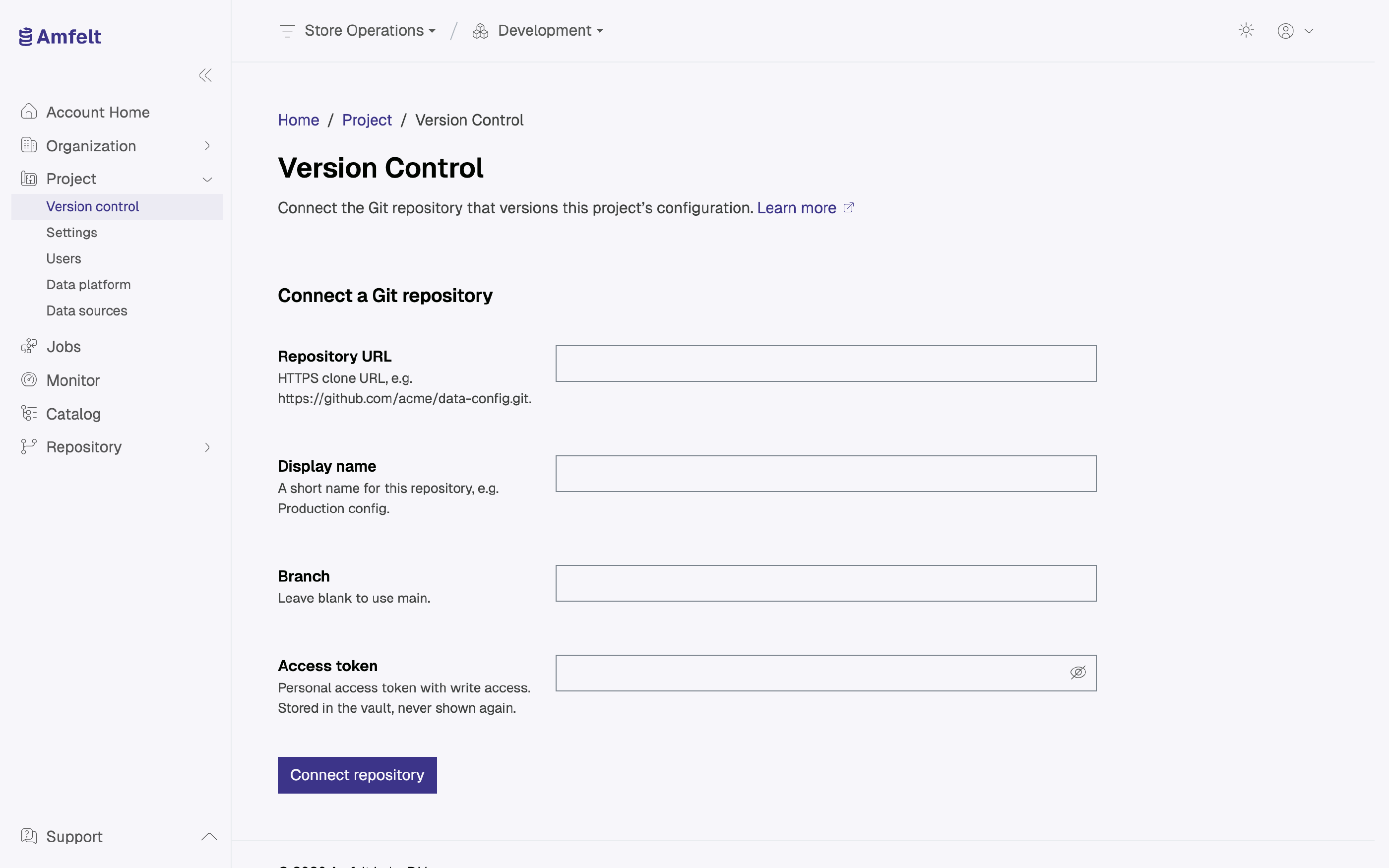
Connect It
You provide:
- Repository URL: the Git repository to use.
- Display name: how it appears in the project, for example “Production config”.
- Branch: optional. Leave it blank to use
main. - Access token: a personal access token with write access.
The token is stored in the vault and never shown again, so keep your own copy if you need it elsewhere. Amfelt does not test the token when you connect: a token without write access shows up at your first commit, which fails with a credentials error.
Rotating the Token
Reconnect the repository with the new token. If commits start failing with a credentials error, an expired or revoked token is the first thing to check.
Next
Last updated on October 30, 2026