Docs
Roles and Access
What each role can do, and how to choose the right one.
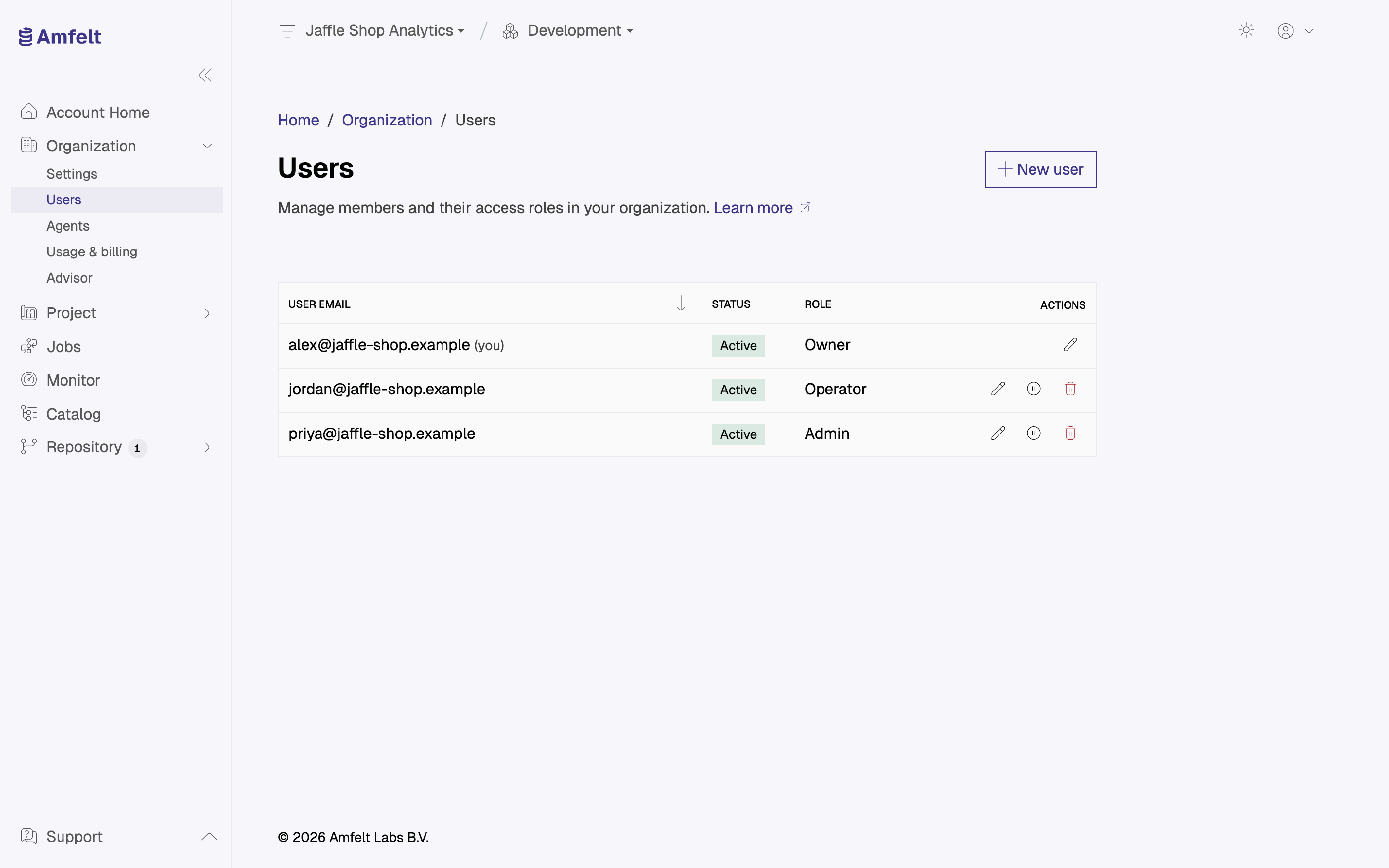
An organization has four roles, each a superset of the one below it.
| Role | What it can do | Typically |
|---|---|---|
| Owner | Everything, including taking the organization down | The person who created the organization |
| Admin | Manage members, invitations, and projects, but cannot delete or disable the organization | Team leads |
| Operator | Day-to-day data work: sources, jobs, schedules, runs. No member or project management | Data engineers |
| Viewer | Read-only access to monitoring and the catalog | Analysts and stakeholders |
Every organization keeps at least one owner, so the last one cannot be removed or demoted.
Billing
A separate billing role, for someone in finance who needs invoices and payment details but no access to your data, is on the roadmap.
Enforcement Is Real
Access is checked on every request, not merely hidden in the interface. A role you do not have is a request the platform refuses, which is why removing someone’s access takes effect immediately rather than at their next sign-in.
Choosing
- People who need to see what is happening but not change it: Viewer.
- People building and running pipelines: Operator.
- People who manage the team and its projects: Admin.
- Keep Owner to the small number of people who should be able to end the organization.
Changing someone’s role takes effect on their next request. No re-invitation is needed.
Next
Keep a member list for each project: Manage Project Members . Being on that list does not change what someone’s organization role permits.
Last updated on October 30, 2026