Docs
Follow a Run
The runs list on the Monitor page shows the development environment’s runs, whether they were scheduled or triggered by hand. Runs in test, acceptance, and production do not appear there yet. Each row carries when it ran, which source and job it belonged to, which schedule dispatched it (if any), its status, how long it took, and how much data it moved.
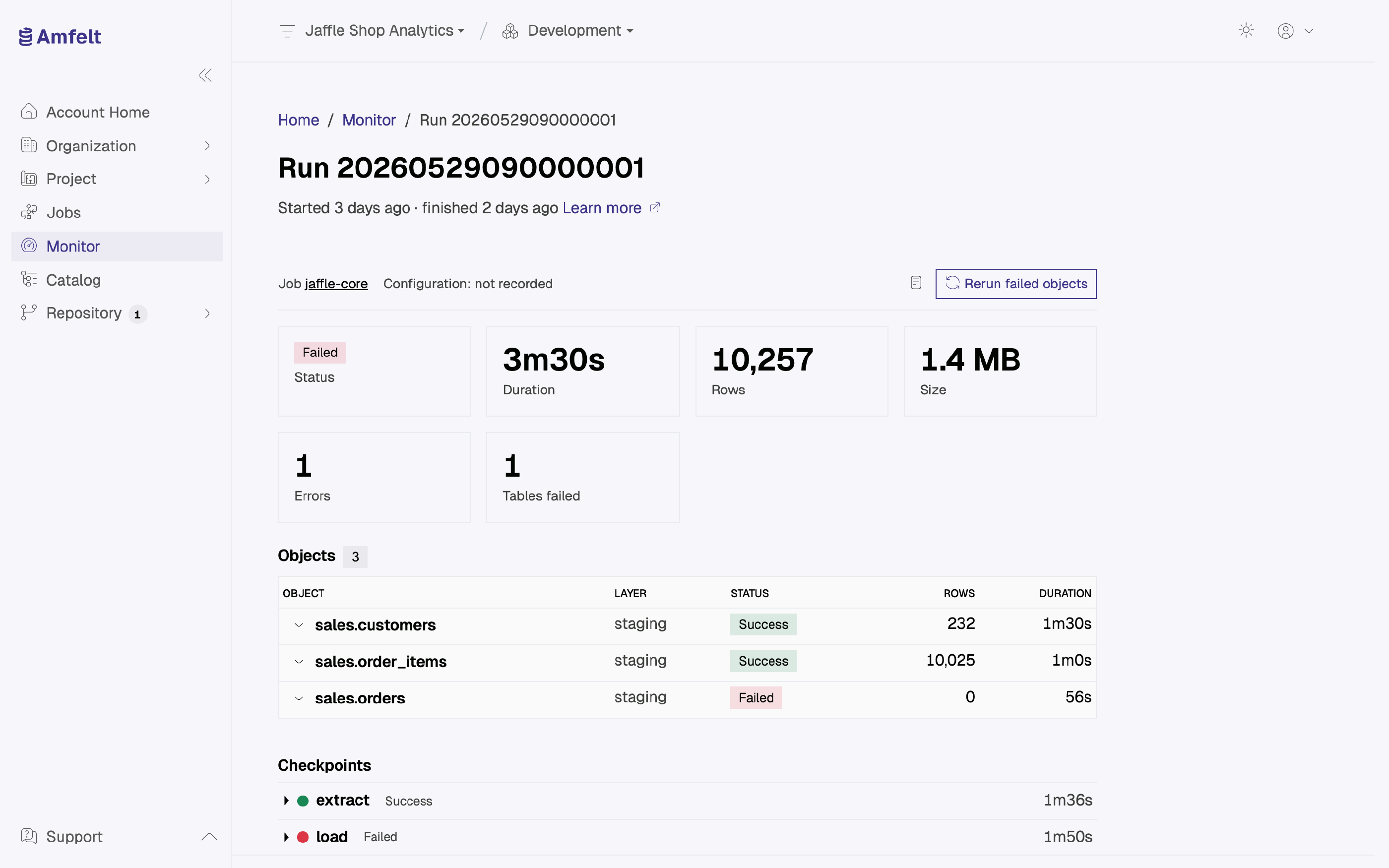
What the Statuses Mean
| Status | Meaning |
|---|---|
| Running | The agent has started it, and it has not finished |
| Success | Finished without an error |
| Failed | Ended with an error, or went silent and the platform marked it failed |
| Cancelled | Canceled before it started moving data. A run canceled while it is moving data shows as Failed |
Beside the status, a row can carry an error chip and a warning chip, each with its count. A warning is not a failure, but it is not nothing either. A Success with a warning chip is the row most worth opening, because the run completed while telling you something.
Reading a Failed Run
Work through it in this order, which goes from cheapest to check to most expensive:
- Is the agent connected? The platform records a run only once its agent starts it, so a run whose agent is down never appears in the list. If you triggered a run and no row shows up, check the agent first. See Check Agent Health .
- What does the run itself say? Open it, expand the failed step under Checkpoints, and read the error it reported. If that is not specific enough, read the agent’s own log (see below).
- Are the credentials still good? Rotated source or platform credentials fail at connect time, and they fail for every run at once rather than for one object.
- Did the source change? A run that used to work and now does not, on a source nobody touched in Amfelt, is often schema drift. See Review Schema Drift .
The Agent’s Own Log
The agent’s log stays on the host it runs on, and the platform keeps no copy of it. It is where to look for detail the run page does not give. The agent writes it to standard error, so you will find it wherever that host keeps a service’s output: the systemd journal, for example, or your container runtime’s logs.
Next
Read Metrics and Run History for the pattern across runs rather than the detail of one.
Last updated on October 31, 2026